Choosing the right Content Management System (CMS) is essential for optimizing your website for SEO. A reliable CMS can enhance your site’s visibility, improve user experience, and streamline management tasks. This guide will help you discover the top CMS options to elevate your online presence.
The 5 Best Content Management Systems (CMS) for SEO
Introduction: The SEO Struggle
Are you struggling to improve your website’s search engine ranking? The right tool can make all the difference. In a digital landscape teeming with competition, a powerful Content Management System (CMS) is crucial for effective SEO strategies. This blog post explores the best CMS platforms that not only make content management easier but also enhance your site’s search engine visibility.
1. Why Your Choice of CMS Matters for SEO
Opting for the right CMS is vital for several reasons:
- SEO-Friendly Structure: A good CMS helps create SEO-optimized URLs and title tags.
- Responsive Design: Ensure your website is mobile-friendly, boosting your search rankings.
- Easy Integration: Utilize plugins and tools that simplify SEO tasks.
2. Top Content Management Systems to Consider
Explore the following leading CMS platforms that excel in SEO capabilities:
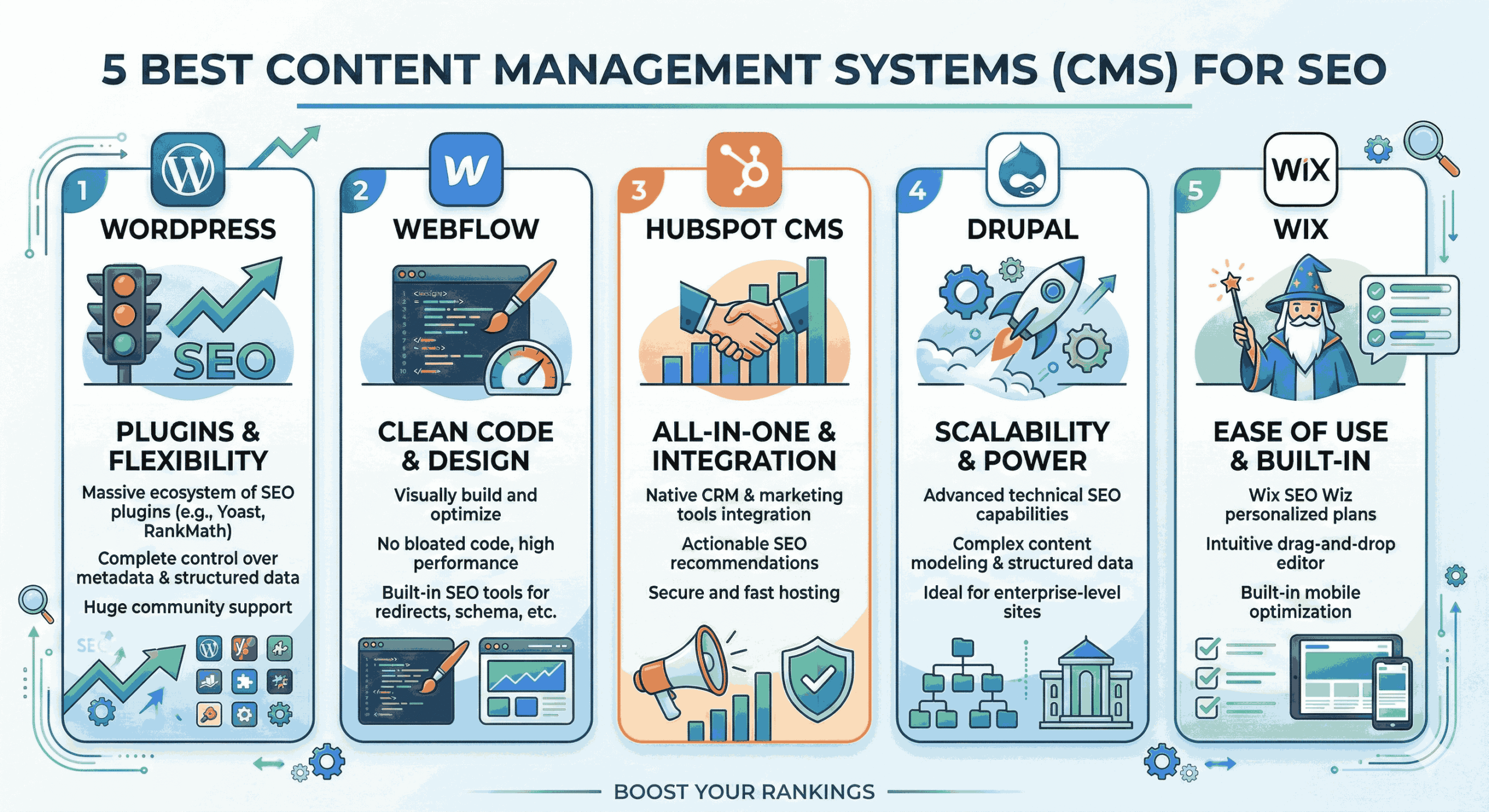
1. WordPress
WordPress remains the industry leader with its robust features:
- Extensive Plugin Library: Numerous SEO plugins like Yoast SEO help optimize your site effortlessly.
- User-Friendly Interface: Easy for beginners and provides robust options for advanced users.
- Strong Community Support: Offers extensive documentation and forums for troubleshooting.
2. Joomla
Joomla is an excellent choice for more complex websites:
- Flexible Templates: Design freedom to create unique layouts enhances user engagement.
- Built-In SEO Tools: Features like SEF URLs for better indexing by search engines.
- Multilingual Support: Reach a global audience with multi-language capabilities.
3. Drupal
Ideal for developers seeking advanced customization:
- Highly Customizable: Great for technical users needing tailored solutions.
- Scalability: Perfect for large-scale websites handling significant traffic.
- Enhanced Security: Strong in-built security features suitable for high-stakes sites.
4. Wix
Wix is perfect for small businesses and creatives:
- Drag and Drop Interface: Simple site-building tools without technical skills.
- SEO Wizard: Step-by-step guide to optimize your site directly in the platform.
- Mobile Optimization: Automatically optimizes your site for mobile devices.
5. Squarespace
A favorite among designers for its aesthetic capabilities:
- Beautiful Templates: Stunning designs that enhance user engagement.
- SEO Features Built-In: Automatically generates meta tags and sitemaps.
- Integrated Analytics: Track your SEO performance directly within the platform.
3. Key Features for Optimal SEO Performance
When choosing a CMS, keep these features in mind:
- SEO-Friendly Architecture: Look for a CMS that allows for easy URL customization.
- Plugin/Extension Support: Ensure it integrates with major SEO tools.
- Analytics Integration: The ability to connect with analytics tools for performance tracking.
4. Common SEO Challenges and How CMS Can Help
Businesses frequently encounter challenges affecting their SEO strategy, such as:
- Slow Loading Times: Choose a CMS that optimizes speed through caching and compression.
- Poor Mobile Usability: Look for responsive designs that adapt across devices.
- Content Duplication: Use features that facilitate unique URL structuring to avoid penalties.
5. Making Your Final Decision on a CMS
Follow these steps to choose the best CMS for your SEO needs:
- Identify Your Goals: Understand what you need from a CMS based on your website’s objectives.
- Compare Features: Evaluate which CMS aligns best with your SEO and content requirements.
- Take Advantage of Demos: Test features through free trials before committing to a platform.
People Also Ask
Which CMS is best for SEO?
WordPress is widely regarded as the best CMS for SEO due to its extensive plugins and user-friendly interface.
Can I use multiple CMS platforms for one website?
Typically, it’s best to use a single CMS for consistency; however, some sites utilize subdomains with different platforms.
What makes a CMS SEO-friendly?
SEO-friendly CMS platforms allow for easy customization of URL structures, meta tags, and sitemaps to boost visibility.
Are there free CMS options?
Yes, platforms like WordPress and Joomla offer free versions with powerful SEO functionalities.
Is technical knowledge necessary for using a CMS?
While basic knowledge is helpful, many CMS platforms are designed for ease of use for non-technical users as well.
Conclusion: Unlock Your Website’s Potential with the Right CMS
Selecting the right Content Management System is essential to optimize your website for search engines and enhance overall user experience. By evaluating platforms like WordPress, Joomla, and Squarespace, you can significantly boost your SEO efforts. Ready to take your website to the next level? Contact American Tech Labs today to schedule a consultation!