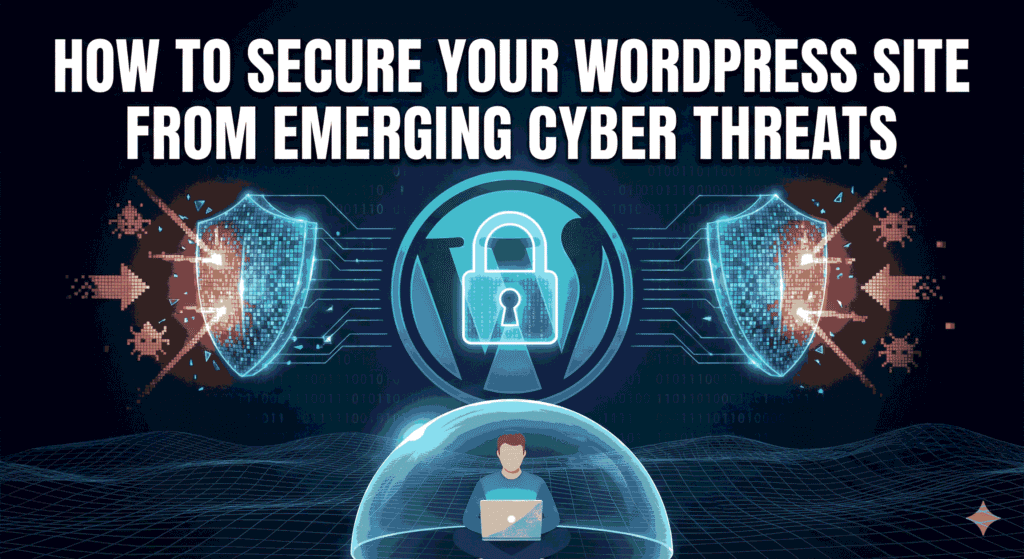
How to Secure Your WordPress Site from Emerging Cyber Threats
Key Takeaways:Protecting your WordPress site from cyber threats is essential for maintaining your online presence.Implementing robust security measures can prevent attacks and safeguard sensitive data.American Tech Labs can help you secure your WordPress site with tailored strategies and solutions. How to Secure Your WordPress Site from Emerging Cyber Threats Introduction: Understanding the Cybersecurity Challenge In today’s digital age, securing your WordPress site is more critical than ever. With a rising wave of cyber threats targeting vulnerable sites, the need for robust security measures has never been more apparent. *How can you protect your content and customer data from these emerging threats?* This blog post provides effective strategies to secure your WordPress site and mitigate risks. 1. The Importance of Cybersecurity for WordPress Sites WordPress is a powerful platform, but its popularity makes it a prime target for hackers. Consider the following:– **High Vulnerability:** Being the most used CMS means it attracts more cyber-attacks.– **Potential Loss:** A successful attack could lead to data breaches, loss of reputation, and financial implications.– **Regulatory Compliance:** Laws require you to protect user data, making security a legal obligation. 2. Implementing Strong Password Security Weak passwords create easy access points for cybercriminals. Here’s how to strengthen your password protection:– **Use Unique Passwords:** Ensure all accounts, especially admin users, have complex, unique passwords.– **Two-Factor Authentication:** Enable 2FA to add an extra layer of security.– **Password Managers:** Use a password manager to keep track of strong passwords and generate new ones. 3. Keeping WordPress and Plugins Updated Regular updates are essential for maintaining site security. Consider these actions:– **Schedule Automatic Updates:** Enable auto-updates for WordPress core files and plugins.– **Audit Plugins Regularly:** Remove any outdated or unused plugins to reduce vulnerabilities.– **Monitor Update Notifications:** Stay vigilant for plugin updates and security patches. 4. Utilizing Security Plugins Leverage the power of security plugins to enhance your site’s defenses:– **Firewall Protection:** Implement web application firewalls to block malicious traffic.– **Malware Scanners:** Use plugins that can regularly scan your site for vulnerabilities and malware.– **Login Lockdown:** Limit login attempts to thwart brute force attacks. 5. Regular Backups: Your Safety Net Having a backup plan is crucial for quick recovery. Follow these best practices:– **Frequent Backups:** Schedule daily or weekly backups depending on your content updates.– **Use Reliable Backup Solutions:** Opt for plugins or service providers that offer secure cloud storage options.– **Test Backup Recovery:** Regularly verify that your backup can be restored without issues. 6. Secure Your Hosting Environment Your site’s security greatly depends on your hosting provider. Evaluate the following:– **Choose a Secure Host:** Select a reputable host that prioritizes security with features like SSL, malware detection, and security patches.– **Regular Security Audits:** Ensure your hosting provider conducts routine security assessments.– **Utilize SSL Certificates:** Protect data transfer by implementing SSL to encrypt communications. 7. Educating Your Team Human error often plays a role in security breaches. Train your team on security best practices:– **Security Awareness Training:** Conduct regular training sessions on identifying phishing scams and social engineering attacks.– **Establish Guidelines:** Create clear policies for password management and data handling.– **Encourage Reporting:** Foster an environment where employees feel comfortable reporting suspicious activities. 8. Monitoring and Responding to Threats Staying proactive about threats can prevent future incidents:– **Use Monitoring Tools:** Implement solutions that keep an eye on website activity and potential intrusions.– **Conduct Security Audits:** Regularly perform security audits and penetration testing.– **Establish Response Plans:** Have an incident response strategy in place for swift action in case of breaches. People Also Ask What are common cyber threats facing WordPress sites? Common threats include brute force attacks, malware injections, and phishing attempts aimed at stealing data or compromising site functionality. How often should I update my WordPress site? Updates should be done immediately when new updates are released, particularly for security patches. Do I need a security plugin if I have a secure host? Yes, additional security plugins provide enhanced protection beyond what hosting companies typically offer. What is two-factor authentication (2FA)? 2FA is a security process that requires two different forms of identification before granting access, enhancing login security. Can I recover my site after a cyberattack? Yes, if you have regular backups, you can restore your site to a previous safe state, though prevention is always better. Conclusion: Take Action to Secure Your Site Securing your WordPress site from emerging cyber threats is essential for protecting your business and its reputation. American Tech Labs offers tailored security solutions to help you defend against these dangers. Ready to enhance your website’s security measures? Book a consultation with American Tech Labs today to take the first step in safeguarding your online presence.